
Upwork
Upwork Global Inc.Business
3.63.71K Reviews
- Version
- 2.11.0
- Installs
- 10.00M
- Age Rating
- Everyone
Screenshots
Our Review of Upwork
 Analysis by Appyee
I use Upwork as a practical meeting point between people who need work completed and freelancers who offer professional skills. It is a Business app from Upwork Global Inc., and its purpose is straightforward: help clients find independent specialists from different parts of the world while giving freelancers a place to present their abilities and pursue projects. In my experience, its real value depends less on simply installing it and more on how carefully I define a job, compare applicants, and manage communication afterward.
The app is free to install, which makes trying it low-risk from a cost perspective. It is rated for Everyone, runs on operating systems version 10 and above, and the current version is 2.11.0. Those details make it accessible to a broad audience, although the practical experience can still feel demanding if I am unfamiliar with hiring remote talent or presenting myself competitively as a freelancer.
How Upwork fits into real work
Rather than treating it as a simple directory of professionals, I see Upwork as a work marketplace where the quality of the result depends heavily on the brief and the selection process. A client might use it to find help with writing, design, software work, administration, research, or another professional task. A freelancer, meanwhile, can use the app to look for opportunities and keep an eye on conversations while away from a computer.
That flexibility is useful in everyday situations. Imagine I run a small online shop and need product descriptions refreshed before a seasonal promotion. I can describe the tone, provide examples, explain the number of items, and invite suitable writers to respond. The app gives me a focused place to review candidates and continue the discussion rather than relying on scattered messages across email and social networks.
The same scenario works from the freelancer’s side. If I specialize in copywriting, I can review opportunities during a commute, decide whether the requested work matches my experience, and respond when I have enough time to write a thoughtful proposal. That does not guarantee a contract, but it is more convenient than needing to sit at a desktop simply to stay aware of potential work.
One of the less obvious lessons is that the app rewards preparation. A vague request such as “I need marketing help” creates room for mismatched expectations. A better post explains the desired outcome, existing materials, deadline, preferred communication style, and what a finished result should look like. On the freelancer side, a generic response is easy to overlook. A short proposal that addresses the actual problem is more useful than a long biography.
What the free access really means
Upwork is free to download and use as an entry point, so I can explore the marketplace without paying for the app itself. That is important when comparing it with specialist services, agencies, or traditional recruitment routes, where the first step may involve a direct financial commitment. Free access makes experimentation easier for a small business or an independent worker who is still deciding whether this type of marketplace suits them.
However, free access should not be confused with guaranteed free work or guaranteed earnings. The app connects people; it does not remove the time involved in searching, evaluating, negotiating, preparing proposals, clarifying requirements, and checking completed work. A client still pays for the work they commission, while a freelancer still has to compete for attention and manage their professional time. The useful distinction is that the app does not charge me simply to begin exploring it, but the marketplace activity around a successful project has its own practical costs in time and effort.
I also would not judge its value by the download price alone. For a client, the question is whether the access to a wider pool of freelancers saves enough effort or improves the result compared with asking locally. For a freelancer, the question is whether the opportunity to reach clients is worth the time spent searching and applying. Those answers vary greatly by skill, project size, communication ability, and how clearly the work is defined.
The app has a 3.6 average rating from around 225 thousand ratings, with roughly 3.7 thousand written reviews. I read that as a sign to keep expectations realistic rather than as a reason to dismiss it. A marketplace app can feel excellent when I find the right person quickly and frustrating when a project is poorly described or communication breaks down. The rating reflects that the experience is not identical for everyone.
Where the value appears in practice
The strongest value is reach. A small client who cannot find a suitable specialist nearby may have more options by looking across an international freelance marketplace. That can be especially helpful for one-off assignments, unusual skills, or work that does not justify hiring a full-time employee. I can search for a specific capability instead of asking a general contact network and hoping someone happens to be available.
For freelancers, the value is access to potential clients beyond their personal circle. Someone with a strong portfolio but limited local opportunities can present their work to a broader audience. This is not an automatic shortcut to income, but it can make professional discovery possible without building an entire sales system from scratch.
Another useful advantage is the separation between discovery and delivery. I can use the marketplace to identify a potential match, then spend the conversation refining the assignment before deciding whether the collaboration makes sense. That pause is valuable. It encourages me to ask about process, availability, relevant experience, and the shape of the final deliverable rather than choosing only on a headline or a low quote.
My preferred workflow is to start with a small, clearly bounded task when I am unsure about a freelancer. For example, instead of immediately assigning a large website project, I might begin with a defined audit, a sample content batch, or a limited design exercise. This creates a more useful test of communication and working style than a profile alone. It also reduces the damage if the match is not right.
Freelancers can apply a similar principle to client selection. Before committing, I would look closely at the wording of the request, the quality of the questions being asked, and whether the expected result is understandable. A client who cannot explain the goal may create more revisions than the original task suggests. The app can help me discover opportunities, but it cannot replace professional judgement about whether an opportunity is healthy.
Small habits that improve the experience
I find it helpful to treat the first conversation as part of the work, not as an administrative delay. For a client, I would ask what information the freelancer needs, what assumptions they are making, and what could cause the deadline to move. For a freelancer, I would restate the assignment in my own words and identify anything that needs clarification. This simple exchange often reveals whether both sides understand the same project.
A second useful habit is to separate essential requirements from preferences. If I need a report in a particular format, that is different from merely preferring a certain writing style. If I am hiring a designer, the required dimensions and file type matter more than a vague request to make something “modern.” Clear priorities make comparison fairer and reduce the temptation to select someone based only on a polished profile.
I would also keep important decisions inside the project conversation so that the agreed scope remains easy to revisit. Moving from an informal idea to a written outline protects both sides from remembering the discussion differently. It is particularly important when a task changes gradually; a small addition here and another revision there can turn a manageable assignment into a very different one.
For freelancers, one non-obvious trade-off is proposal quality versus application volume. Sending many rushed responses may feel productive, but it can leave less time for active work and produce weak matches. I would rather target assignments where my portfolio and experience genuinely answer the client’s need. For clients, the equivalent trade-off is candidate quantity versus review quality. A huge list is not automatically better if I do not have a consistent way to compare it.
Where friction can appear
The marketplace model introduces competition and uncertainty. A client may receive several very different interpretations of the same brief, while a freelancer may spend time preparing a response without knowing whether the opportunity will lead anywhere. That uncertainty is part of the model, and it can be tiring for people who expect a conventional job board or a direct booking service.
Communication is another pressure point. An app can make messages convenient, but convenience does not guarantee clarity. Different time zones, language preferences, working habits, and expectations about response speed can all affect a project. I would agree on practical communication rules early, especially when a task has dependencies or a firm deadline.
There is also a quality-control burden. Profiles and proposals can help me form an initial impression, but they are not a substitute for checking whether a person understands the assignment. A client who chooses only by the lowest apparent cost may spend more time correcting the result. A freelancer who accepts every request may find that unclear scope erodes the value of the work.
This is where Upwork may feel less convenient than hiring someone I already know. A trusted local contact may require more effort to find, but the relationship and expectations can be clearer from the start. A specialized agency may cost more, yet it can provide a managed process. A professional network may offer stronger personal context, while Upwork offers a more direct marketplace structure. None is universally better; the right choice depends on how much selection work I want to handle myself.
The mobile format has its own limitation. I like being able to check conversations and opportunities away from my desk, but detailed briefs, portfolios, contracts, and deliverables are often easier to assess on a larger screen. I would use the phone for quick review and timely communication, then move to a computer when I need to compare several candidates or inspect complex material carefully.
Who is most likely to benefit
Small businesses are a natural fit when they need flexible specialist help without creating a permanent role. A shop owner, independent consultant, or early-stage team may use the app to find support for a defined project and keep the commitment proportional to the actual need. The best results come when the owner can explain the business context and has enough time to review the work properly.
It can also suit clients with a specific, measurable assignment. Editing a set of articles, creating a defined group of illustrations, researching a topic, or addressing a particular technical problem is easier to evaluate than an open-ended request for someone to “handle everything.” The more concrete the outcome, the easier it is to decide whether a candidate is a good match.
Freelancers may benefit if they already know their strongest service and can show relevant examples. A focused profile is more convincing than trying to appear capable of every kind of work. I would recommend the app to someone who is prepared to write tailored proposals, communicate professionally, and build trust through consistent delivery rather than expecting immediate results after installation.
On the other hand, I would hesitate to recommend it to someone who needs guaranteed employment, instant income, or a completely managed hiring experience. It is not a replacement for a stable employer. I would also suggest another route for a client who has no time to define the assignment, screen candidates, answer questions, or review results. In that case, an agency or trusted service provider may be more suitable even if the initial cost is higher.
People who dislike negotiation may find the marketplace uncomfortable. The app is more useful when I am willing to discuss scope, timing, revisions, and expectations openly. If I want a fixed, standardized service with almost no interaction, a specialized booking platform may offer a smoother experience.
How it compares with familiar alternatives
Compared with asking friends or colleagues for recommendations, Upwork offers broader discovery but less built-in personal trust. Referrals can be faster when the right person is already in my network. The app becomes more valuable when my network lacks the required skill, the project is remote by nature, or I want to compare several possible approaches.
Compared with hiring an agency, it gives me more direct control over choosing an individual freelancer. That can be efficient for a focused assignment and may make the collaboration feel more personal. The trade-off is that I take on more responsibility for screening, project management, and quality checks. An agency remains the better option when I need a coordinated team or a managed delivery process.
Compared with a general professional network, Upwork is more purpose-built for connecting project needs with freelance services. A professional network may be better for long-term relationships, executive recruitment, or industry visibility. This app is more immediately relevant when I have a task to fill or want to pursue freelance assignments in a structured marketplace.
Its audience is substantial, with over ten million installs, so I would expect a busy environment rather than a quiet private directory. That scale can increase the chance of finding a suitable match, but it also means standing out requires precision. For clients, it means more candidates may need careful filtering. For freelancers, it means a polished but generic presentation is unlikely to be enough on its own.
My practical recommendation
I would begin by deciding whether the work is suitable for a marketplace at all. If the assignment has a clear result, can be explained in writing, and does not require constant in-person collaboration, the app is worth exploring. I would prepare the brief before searching, define the non-negotiable requirements, and decide what evidence would convince me that the work is complete.
During selection, I would compare answers to the brief rather than relying on the most impressive wording. I would ask one or two questions that reveal how each person thinks about the task. For a creative assignment, I might ask how they would approach the audience or brand voice. For technical work, I might ask how they would investigate the problem before proposing a solution. The goal is not to demand unpaid work; it is to see whether the person is engaging with the actual need.
I would start with a contained project whenever possible, especially if the collaboration is new. That approach gives me information about reliability, communication, and attention to detail before I expand the relationship. It also lets a freelancer decide whether my instructions and feedback style are a good fit.
My bottom line is that Upwork delivers the most value as a flexible discovery and collaboration tool, not as a promise of effortless hiring or effortless freelance income. Its free access makes it easy to try, and its global marketplace can be genuinely useful for defined work. Still, the quality of the outcome depends on the judgement of the people using it.
After spending time with Upwork, I would recommend it to a small business with a specific project and enough attention to manage the relationship, as well as to freelancers with a clear specialty and the patience to compete thoughtfully. I would skip it when I need guaranteed employment, a fully managed service, or a quick transaction with no negotiation. For the right user, it can open practical opportunities; for the wrong one, it can simply add another stream of messages and decisions.
The app comes from Upwork Global Inc. and has been available since April 15, 2019. Those details matter less than the central choice: whether I am willing to take responsibility for making a remote professional relationship work. If the answer is yes, the free starting point is worthwhile. If the answer is no, a referral, agency, or more specialized service may deliver better value despite offering a less open marketplace.
Verdict
Strengths of Upwork
- Access to clients and projects from around the world.
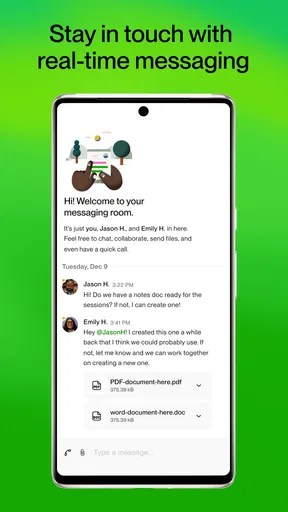
- Built-in messaging and file sharing simplify client communication.
- Secure payment processing helps reduce transaction risks.
- Freelancers can showcase skills, portfolios, and work history.
- Flexible work options suit freelancers seeking remote opportunities.
Limitations of Upwork
- Service fees can significantly reduce earnings from completed contracts.
- Competition is intense, especially for beginners with limited reviews.
- Some clients may post vague projects or unrealistic requirements.
- Premium features and proposal credits may require additional spending.
- Payment holds or disputes can delay access to earned funds.
Similar Picks in This Category
View All
LinkedIn: Community & Network
LinkedIn3.8

Zoom Workplace
zoom.com4.1

Microsoft Teams
Microsoft Corporation4.6

Meta Business Suite
Meta Platforms, Inc.4.6

Webex Meetings
Cisco Systems, Inc.4.5

TeamViewer Remote Control
TeamViewer4.4
Frequently Asked Questions
What is Upwork and how does it work?
Upwork is a freelance marketplace that connects clients with independent professionals offering services such as writing, graphic design, programming, marketing, translation, virtual assistance, and more. After creating a profile, freelancers can search for projects and submit proposals, while clients can post jobs, review applications, interview candidates, and manage contracts through the platform. The app supports communication, file sharing, time tracking, and payments.
Is the Upwork app free to download and use?
The Upwork app is free to download on Android and iOS, and users can create accounts without paying an installation fee. However, some services involve costs. Freelancers may face service fees or limits related to submitting proposals, while clients pay the agreed project or hourly amount and may also encounter marketplace or processing fees. Always review the current pricing details before accepting a contract or purchasing additional features.
Can I find reliable freelancers or legitimate jobs on Upwork?
Upwork includes tools designed to help both clients and freelancers evaluate one another, including profiles, portfolios, reviews, work history, skill information, and verified payment details. Nevertheless, users should still perform their own checks before starting work. Read job descriptions carefully, communicate through the platform, avoid suspicious requests, and never send money or personal information outside approved Upwork processes.
How do payments and contracts work on Upwork?
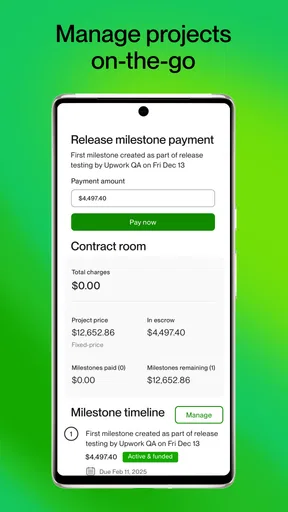
Upwork supports hourly and fixed-price contracts. Hourly work can generally be recorded with the platform’s time-tracking tools, while fixed-price projects are divided into milestones that may be submitted for client approval. Payments are processed through Upwork rather than directly between users, and withdrawal options can vary by country. Fees, payment schedules, protection policies, and eligibility requirements should be checked before beginning a contract.
Is Upwork safe for beginners, and what should new users know?
Upwork can be useful for beginners, but success usually requires a complete profile, a clear description of your skills, strong samples, realistic rates, and personalized proposals. New freelancers may need patience before receiving their first contract because competition can be high. Use the built-in messaging and payment systems, understand the terms of each contract, and be cautious of clients or jobs that promise unusually high rewards for little work.
